

Sebenernya article ini tentang IPSec Site2Site VPN, Cuma karena IPSec ini bisa dipasang ke DMVPN…so let try to secure this VPN using it

Pre-requisite
————————————————————-
The topology is still the same
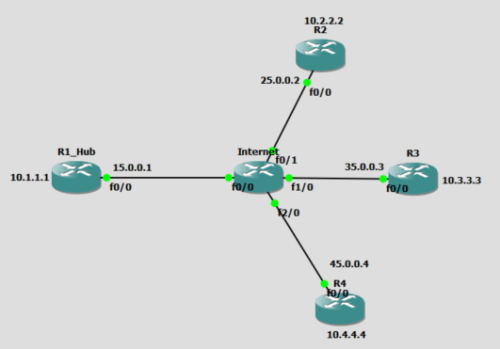
Lets show initial DMVPN in the R2 perspective
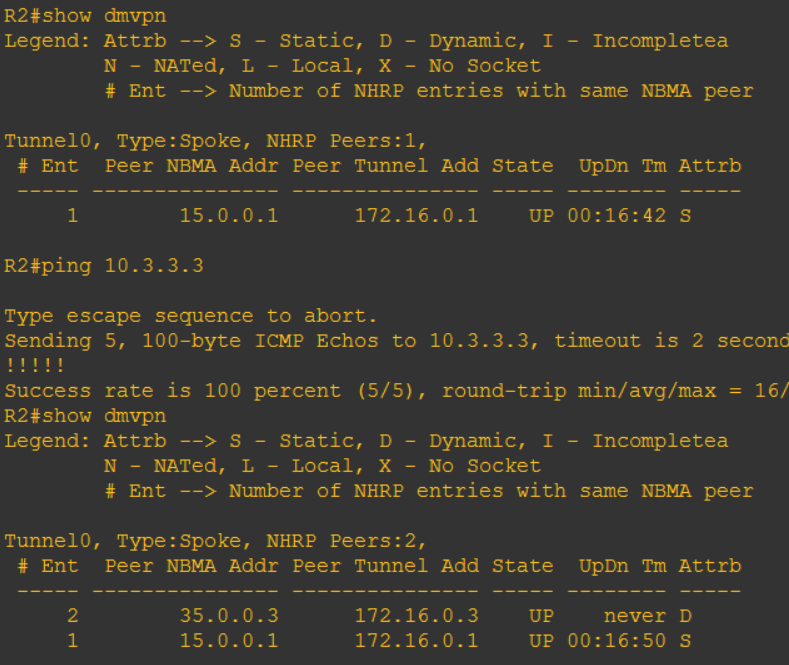
Only 1 Peer of NBMA Address (which is R1_Hub)…after ping to R3 there goes 35.0.0.3 which is NMBA Addres of R3
Default framework untuk security VPN kita bisa cek dengan cara show crypto isakmp policy
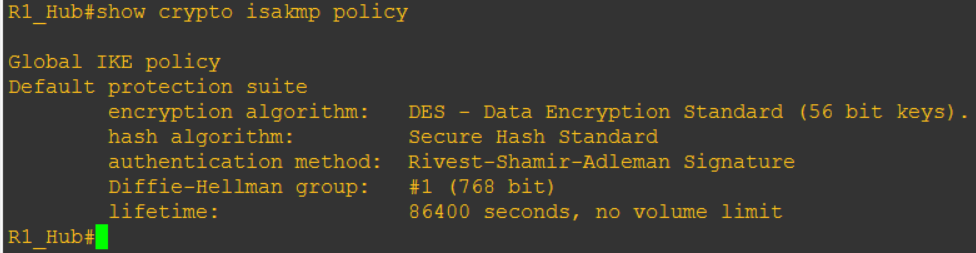
Nah kita bisa liat default yang dikasi klo kita mau VPN-an (klo kita mau config, default-nya ini), nanti ini bakal kita rubah2…
Btw…isakmp itu apa? (Internet Security Association and Key Management Protocol) A framework for negotiation and management of security association between peers
Framework? Jadi klo lo mau masang LCD TV…tentu harus dengan kabel yang sesuai, masang antenna juga harus sesuai, remote-TV nya juga harus sesuai…klo ga, ya jadi ga bisa nonton kan? (Encryption nya harus sesuai, protocol authentication nya harus sesuai, key-password nya harus sesuai), negosiasi antar 2 node sebelum bisa kirim2an data itulah disebut ISAKMP framework
————————————————-
IPSec VPN Site2Site Phases
Untuk bisa konfigurasi IPSec, kita harus melewati (baca: konfig) 2 tahap dulu
Tahap pertama: IKE Phase (Internet Key Exchange Phase), tahap bikin key sama tuker2 key-nya
Tahap kedua: IPSec Phase, ini packet mau di enkripsi “dalemnya” aja atau semuanya
ISAKMP Phase 1
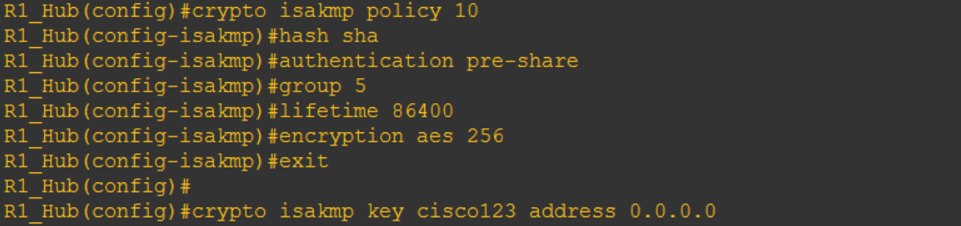
Penjelasan:
- Crypto isakmp policy [nomor]: kita bikin IKE-nya dengan nomor 10 (semakin kebawah alias <10 artinya semakin bagus/priority)
- Hash [protocol]: Mau pake hashing tipe apa? MD5 (less secure) atau SHA (more secure but little slow)
- Authentication [mode]: metode authentikasi-nya mau pake PSK (Pre-shared key), RSA-Encr (RSA Encryption), atau mau pake Digital Certificate (RSA-Sig)
- Group [nomor]: Tuker2an key-nya mau pake metode apa? Diffie-Hellman 1 (DH-1), atau DH-2, DH-5, dan seterusnya (banyak soalnya)
- Lifetime [second]: key yang kita exchange itu validitasnya berapa lama (86400 itu 1 hari, default)
- Encryption [mode] [bit]: data kita mau di enkripsi pake apa? DES, 3DES, atau AES (dan variannya banyak)
- Crypto isakmp key [STRING] address [ip address]: nah ini key yang kita bikin (end-to-end harus sama yaks) trus ip mana yang boleh join VPN (0.0.0.0 itu semuanya boleh join VPN ke router ini, not secure, tapi gpp…ini cuma contoh hahaha)
Note: ada kalanya kita harus pake RSA-sig karena ketergantungan dengan address-nya itu (ganti IP, rubah lagi konfig-nya, repot)
Atau pake crypto isakmp key [STRING] hostname [HOSTNAME] untuk resolve via DNS address-nya
ISAKMP Phase 2
Penjelasan:
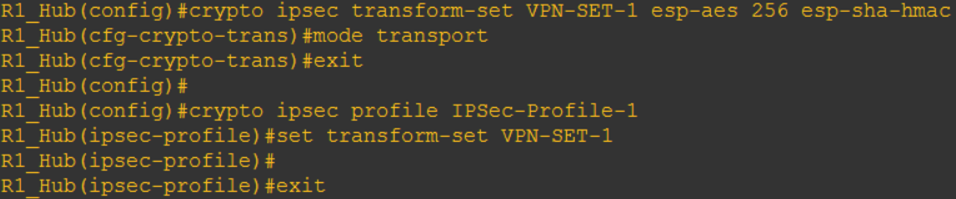
- Crypto ipsec transform-set [STRING] [ESP type] [bit] [HMAC type]: kita mau bikin IPSec dengan nama [STRING] dimana ESP (encapsulating security payload) nya pake, besarnya berapa (128, 192, 256, etc.), dan HMAC (hashing message authentication code) mau pake apa
-
Mode [tipe]: ada 2 tipe mode untuk IPSec
-
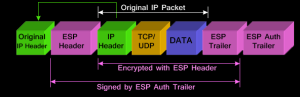
Tunnel mode: semua isi berikut header2 IP-nya di enkripsi
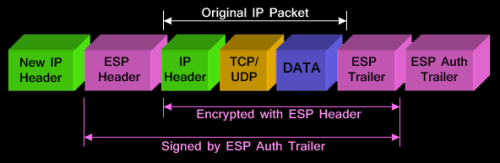
- Transport mode: data payload-nya aja di enkripsi, header IP-nya masih kebaca
-
- Trus kita bikin IPSec profile (jadi tiap VPN ke beberapa company bisa kita bedain profile-nya) dengan cara crypto ipsec profile [nama profile]
- Trus masukin framework IPSec (yang transform-set itu) ke sini dengan cara set transform-set [STRING]

Daaaann….jgn lupa itu profile dimasukin ke tunnel nya (metode nya mirip kek kita bikin ACL, masukin ke interface itu ACL)

Nanti ada pemberitahuan kek diatas…kenapa?? Karena R2 dan teman2nya belum dikasi ginian juga….
Caranya?? Ya bikin aja sama kek R1…
———————————————–
Verifikasi
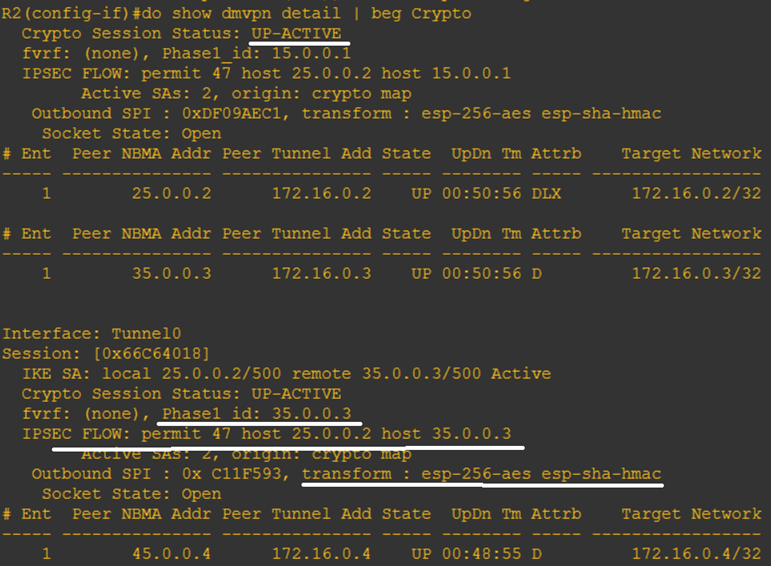
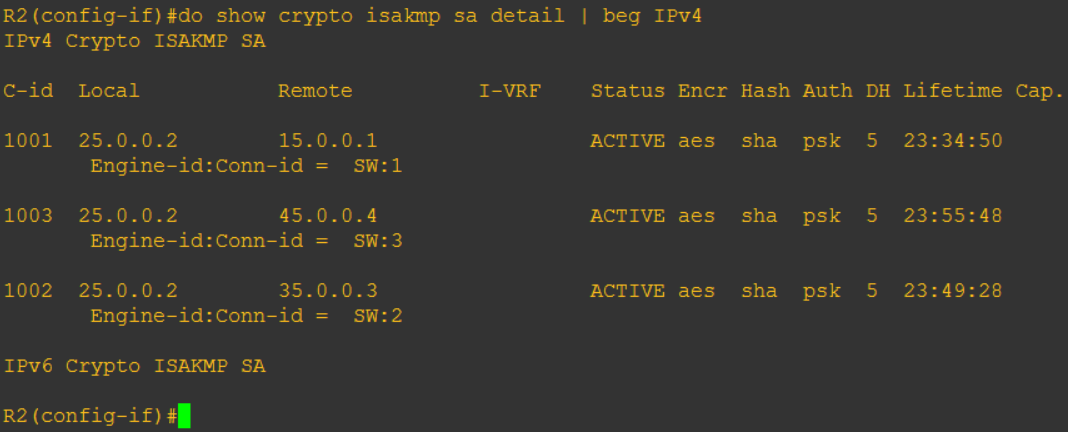
Sekarang kita liat via Wireshark…
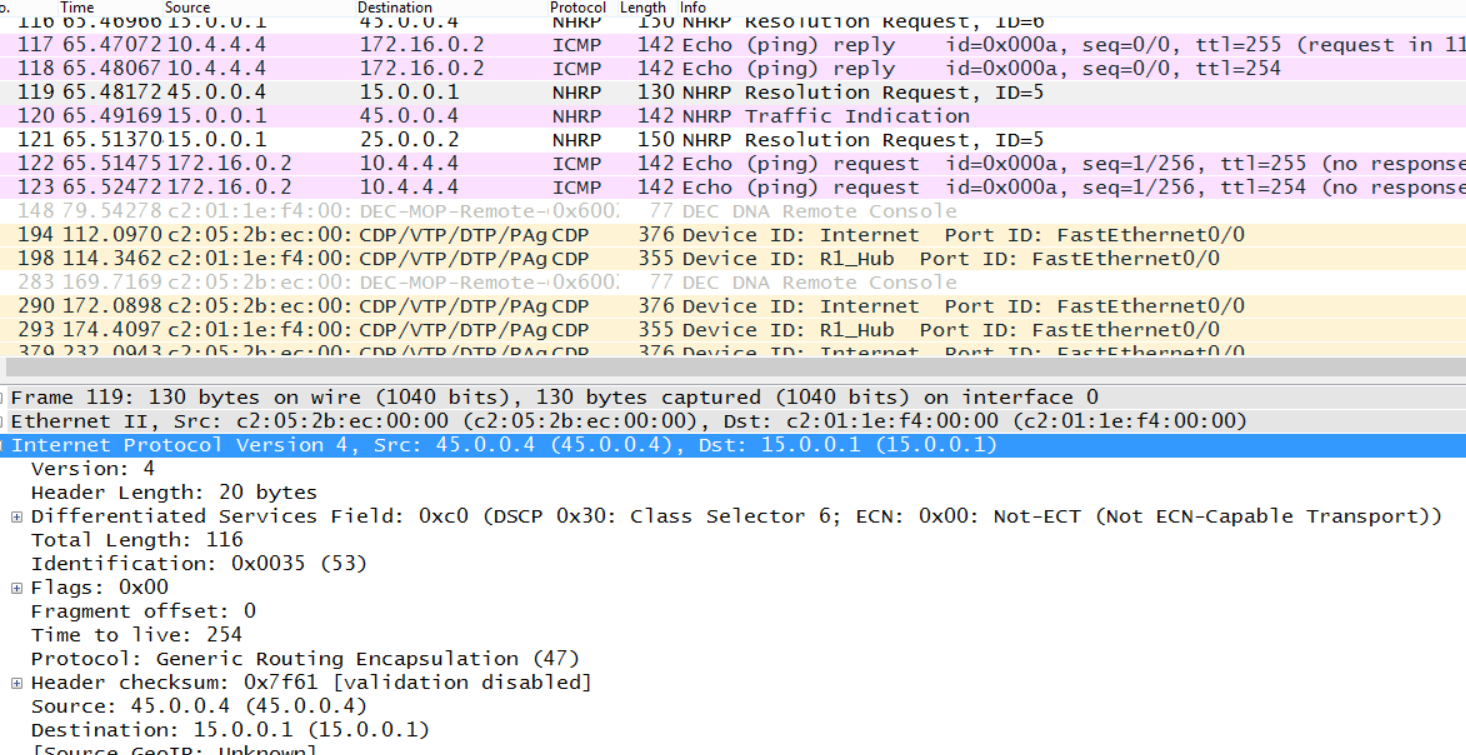
GRE Biasa…
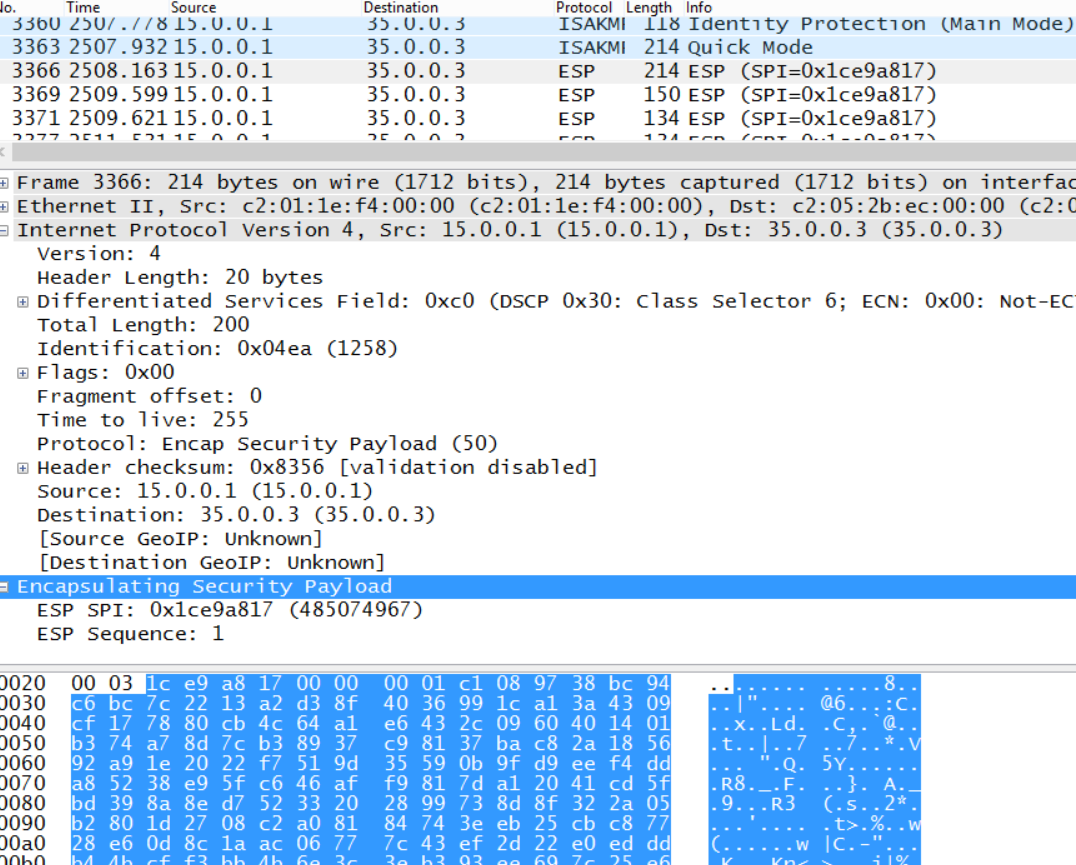
GRE with IPSec
Reference
Protected DMVPN vide by Keith Barker #6783
http://www.firewall.cx/networking-topics/protocols/870-ipsec-modes.html


 Miftah Rahman (Go)-Blog